
Vinted Crosslisting Tool — List on Vinted and Sync Across Platforms
Most crosslisting tools don't support Vinted. FLUF Connect does — with full crosslisting, automated relisting, offer management, and real-time inventory sync.



Can You Crosslist to Vinted Automatically?
Vinted is the largest second-hand marketplace in Europe, with over 80 million members across 20+ countries. For resellers, it’s become essential — low seller fees (in many markets, Vinted charges buyers, not sellers), a massive audience, and strong search visibility.

But here’s the problem: almost no crosslisting tool supports Vinted.
Try listing your Depop products on Vinted using List Perfectly — you can’t. Vendoo? Doesn’t support Vinted. Crosslist? No Vinted either.
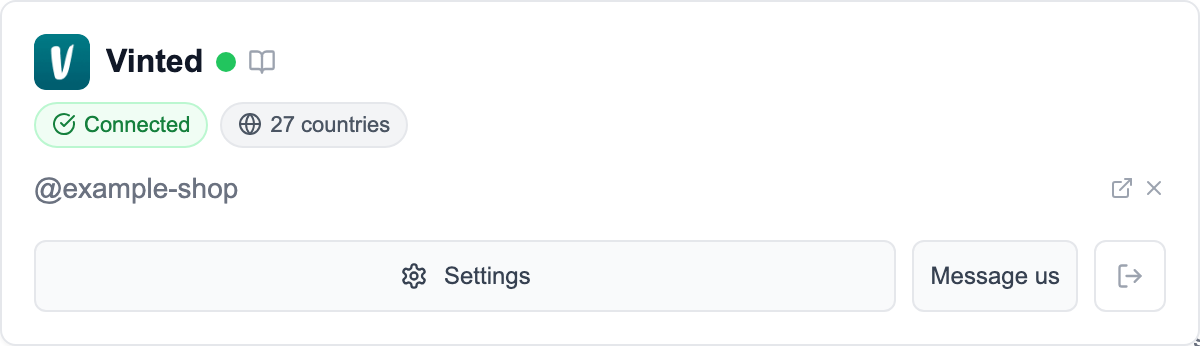
Vinted connects through the FLUF browser extension for secure integration.
FLUF Connect didn’t.
How Does FLUF Connect’s Vinted Integration Work?
FLUF Connect uses a purpose-built Chrome extension to bridge the Vinted gap. Here’s how it works:
Setup (5 minutes)
- Install the FLUF Chrome extension from the Chrome Web Store
- Log into your Vinted account in your browser
- The extension securely authenticates with Vinted
- Your existing Vinted inventory is imported into FLUF Connect
That’s it. No complex configuration, no API keys, no technical knowledge required.
Crosslisting to Vinted
Once connected, you can crosslist products from any other platform to Vinted:
- Depop to Vinted: Move your Depop catalogue to reach Vinted’s different buyer demographic
- eBay to Vinted: Get your eBay listings in front of Vinted’s value-conscious audience
- Shopify to Vinted: Expand your Shopify store to Europe’s largest resale marketplace
FLUF handles the format differences between platforms: Vinted’s category system, shipping options, condition labels, and photo requirements are all mapped automatically.
Crosslisting FROM Vinted
Already have inventory on Vinted? Crosslist it to other platforms:
- Vinted to Depop: Reach Depop’s trend-focused, younger audience
- Vinted to eBay: Access eBay’s massive search-driven marketplace
- Vinted to Shopify: Add Vinted products to your own branded store
Real-Time Inventory Sync
When an item sells on Vinted, FLUF automatically:
- Removes the listing from Depop, eBay, and all other connected platforms
- Updates stock levels in Shopify (if connected)
- Logs the sale in your FLUF dashboard
When an item sells on any other platform, the Vinted listing is automatically removed. No overselling. No manual tracking.
Ready to automate your Vinted listings?
Vinted Automation Features
FLUF Connect doesn’t just crosslist to Vinted — it automates your entire Vinted presence.
Auto-Relisting on Vinted
Fresh listings rank higher in Vinted’s search results. Auto-relisting keeps your products visible to Vinted’s algorithm.
You can create custom relisting strategies:
- Oldest first: Prioritise listings that have been sitting longest
- Highest value: Keep your most expensive items visible
- Best sellers: Focus on categories that sell well for you
- Seasonal: Boost relevant items based on time of year
Offer Management on Vinted
Vinted buyers love to make offers. Managing these manually across hundreds of listings is exhausting.
FLUF Connect handles it automatically:
- Set your minimum price per product
- Offers above your threshold are auto-accepted
- Offers below your threshold are countered with your preferred price
- Lowball offers are auto-declined
This runs 24/7. Wake up to sales you didn’t have to negotiate.
Bulk Operations
- Bulk crosslist from any platform to Vinted
- Bulk update prices, shipping costs, or descriptions across all Vinted listings
- Find & replace text in Vinted titles and descriptions
- Bulk relist to refresh all your Vinted inventory at once
Why Don’t Most Crosslisting Tools Support Vinted?
Vinted connects through the FLUF browser extension. This means FLUF Connect handles Vinted differently than some other marketplaces.
Use the FLUF Chrome extension to connect Vinted and stay signed in while managing listings. This means:
- No API keys or tokens to manage
- Your Vinted credentials stay in your browser — FLUF never stores your Vinted password
- Keep the extension active and signed in.
The trade-off is that the Chrome extension needs to be installed on your computer. But once installed, everything runs automatically in the background.
Vinted Support Comparison
| Feature | FLUF Connect | List Perfectly | Vendoo | Crosslist |
|---|---|---|---|---|
| Vinted crosslisting | Yes | No | No | No |
| Vinted inventory sync | Yes | No | No | No |
| Vinted auto-relisting | Yes | No | No | No |
| Vinted offer management | Yes | No | No | No |
| Vinted bulk operations | Yes | No | No | No |
FLUF Connect lists to Vinted, relists on Vinted and sends Vinted offers from the same catalogue you use for eBay and Depop.
Pricing
Vinted integration is included from Pro upwards — no add-ons or premium tiers required.
| Plan | Monthly | Yearly | You save | Crosslisted products |
|---|---|---|---|---|
| Starter | £9/month | £85/year | 21% | Unlimited |
| Pro | £29/month | £155/year | 55% | Unlimited |
| Priority | Custom pricing — tell us what you need | Unlimited | ||
Automatic relisting, offer management, smart pricing and listing boosts are included from Pro upwards. Starter covers unlimited crosslisting, inventory sync, order sync and Instagram posting without them. Accounting integrations are included from Pro upwards. Yearly billing is charged once a year. New accounts get 7 days for £1, then move onto a plan.
Related Guides
- Crosslist from Depop to Vinted — the most popular Vinted crosslisting direction
- Crosslist Depop to eBay — add eBay alongside your Vinted strategy
- Crosslist eBay to Depop — bring eBay inventory to Depop too
- Auto-Relisting on Vinted — keep your Vinted listings fresh in search
- Vinted Auto-Relister & Listing Tool — relisting, offers and listing from photos, on Vinted only
- Vinted Offer Management — auto-handle Vinted buyer offers 24/7
- FLUF vs List Perfectly — List Perfectly doesn’t support Vinted
- How to Relist on Vinted — maximise Vinted visibility with relisting
New crosslisting guides (May 2026)
- New 2026 pair: Vinted to Poshmark — bring your EU Vinted inventory to the US market. Crosslist from Vinted to Poshmark
- New 2026 pair: Vinted to Temu — for Vinted Pro and business sellers expanding into Temu Marketplace. Crosslist from Vinted to Temu
Frequently Asked Questions
FLUF Connect lists to Vinted and takes a Vinted sale down on your other marketplaces. Most competitors do not support Vinted.
Install the FLUF Chrome extension, sign in to Vinted and follow the connection prompts. Keep the extension active while managing listings.
Yes. Select Depop products and crosslist to Vinted in one click with automatic format mapping.
Yes. FLUF relists on Vinted on a schedule you set to keep products visible in search.
Sign up for free
Join the community
You're in.
Open your dashboard