
Crosslist from Shopify to Leboncoin — Automatically
Move your Shopify inventory to Leboncoin in minutes — French translations, EUR conversion, variant flattening and back-sync to Shopify when a Leboncoin buyer commits.




Why Sell on Both Shopify and Leboncoin?
Short answer: Shopify is your owned-storefront brand layer with global reach and structured product data. Leboncoin is France’s largest second-hand and classifieds marketplace with around 29 million unique monthly users, almost entirely French buyers, who shop with intent for fashion, electronics, furniture, baby items, sporting goods and home equipment. The two audiences barely overlap. A Shopify merchant running paid acquisition or organic SEO to a global storefront has very little exposure to the French C2C buyer who never leaves the Leboncoin app — and Leboncoin’s relevance ranking rewards regularly refreshed catalogues with clear category tagging, both of which a Shopify operator can produce at scale.
Shopify alone gives you brand control, but you are paying for every visitor through ads or organic effort. Leboncoin alone is free or cheap to list on for low volumes, but you can’t run promotions, capture email, retarget or build a brand. Crosslisting connects the two: every product that lives in your Shopify backend is automatically exposed to Leboncoin’s enormous intent-driven audience without you re-keying anything, and every Leboncoin sale decrements your Shopify stock so you never oversell.
Audience and product fit
| Dimension | Shopify | Leboncoin |
|---|---|---|
| Geography | Global; merchant chooses ship-to countries | France (metropolitan + DOM-TOM) |
| Monthly audience | Driven by your own marketing | ~29M unique monthly users |
| Buyer language | Whatever your storefront serves | French (the platform is fr-FR only) |
| Currency | Multi-currency capable | EUR only |
| Listing format | Variants, options, infinite metafields | Single ad per item; category-driven attributes |
| Product mix | New and second-hand, any vertical | Cars, real estate, electronics, fashion, home, jobs |
| Seller types | Brands, DTC, dropshippers, resellers | Private sellers and Pro accounts |
| Fees | Shopify plan + payment processing | Free private listings up to volume thresholds; Pro packs for higher volume; ~2% sale fee on protected transactions |
| Logistics | Merchant’s own carriers | Mondial Relay integration with label-less QR-code drop-off; in-person collection |
The strategic angle for Shopify operators is mostly about intent capture. A buyer searching “manteau Sandro taille 38” on Leboncoin has already chosen the platform and the item. Your Shopify ad spend can’t reach them. Crosslisting puts your catalogue in front of that intent without diluting your brand storefront — the Shopify SKU stays the source of truth, Leboncoin becomes an additional distribution channel.
How to Crosslist from Shopify to Leboncoin with FLUF Connect
The flow takes about ten minutes the first time and is fully automated thereafter. You connect each channel once, FLUF Connect imports your Shopify catalogue, you choose which products go to Leboncoin, and the platform handles translation, pricing, variant flattening and posting.
Step 1 — Connect Shopify
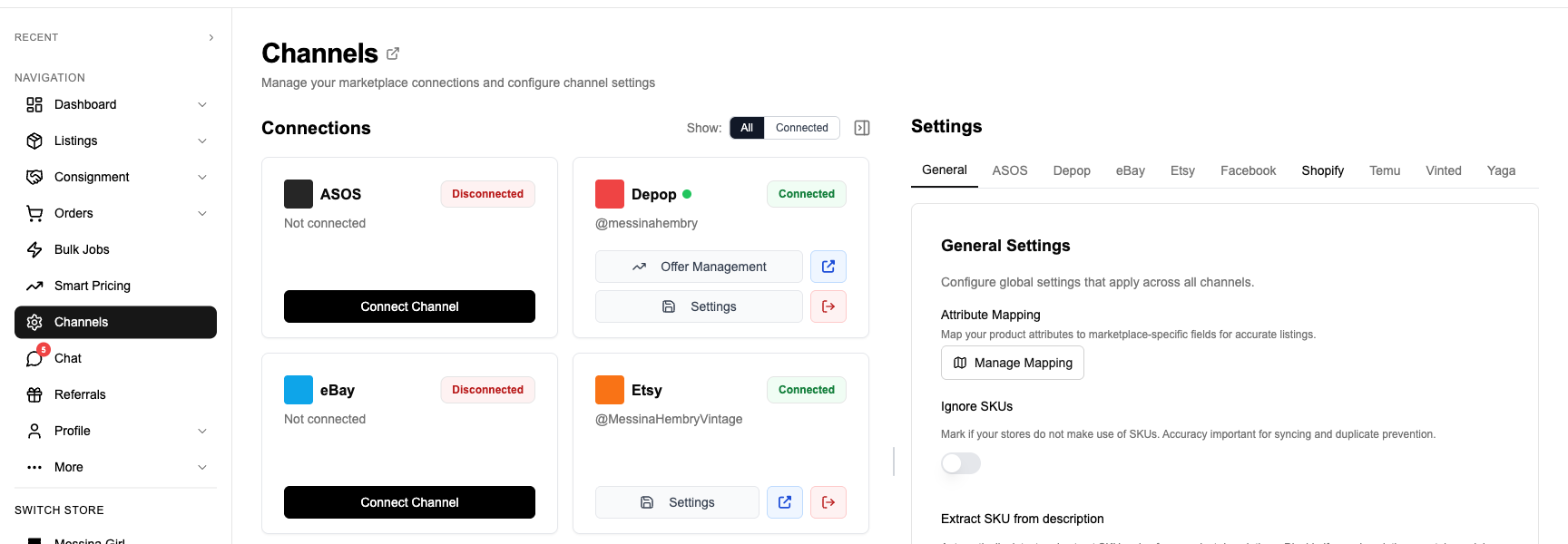
Open Channels in FLUF Connect and click Connect on Shopify. Follow the setup prompts in your Shopify admin, then review the imported catalogue.
Step 2 — Connect Leboncoin via the browser extension
Install the FLUF Chrome extension and sign in to Leboncoin, then follow the connection prompts. Both private and Pro accounts are supported.
Step 3 — Import and stage Shopify products
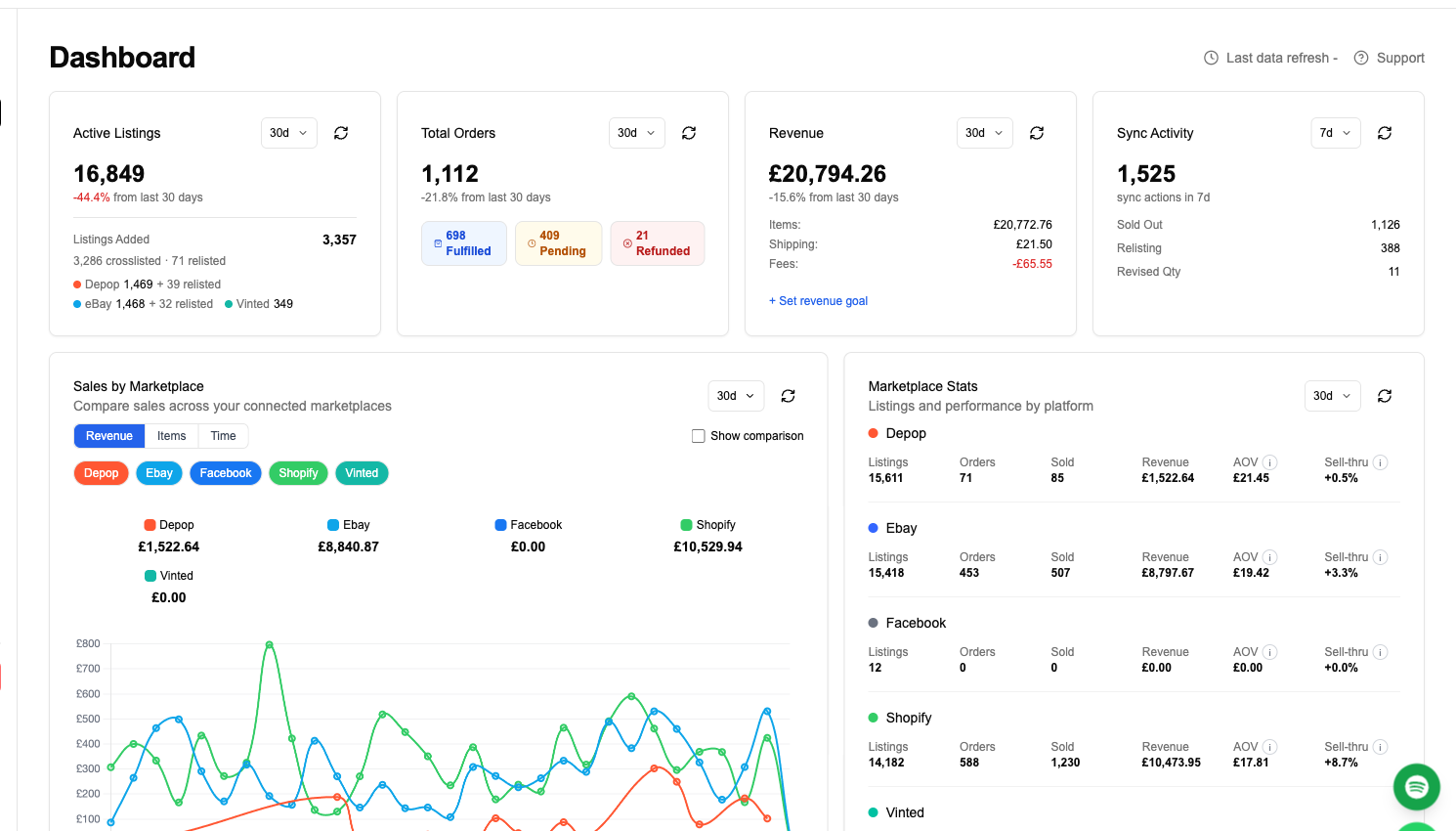
FLUF Connect pulls every active product from your Shopify store, including images, vendor, product type, tags, description HTML, price, compare-at price, SKU and inventory quantity. Variants are imported and grouped under their parent product. You see them all on the listings page where you can filter by vendor, collection or tag, then mark which ones should crosslist to Leboncoin.
Step 4 — Choose how variants become Leboncoin ads
Leboncoin lists one ad per item; it has no concept of size or colour variants. When a Shopify product has variants, FLUF Connect gives you two choices. The default is one ad per variant, which posts each size or colour as its own Leboncoin listing with the variant name folded into the title (“Robe Sandro Taille 38” rather than “Robe Sandro”). The alternative is parent only, which posts a single ad describing the product and notes the available variants in the description. Most resellers pick one-per-variant because Leboncoin search relies on title keywords.
Step 5 — Review the auto-generated French ad
Review the proposed Leboncoin ad before publishing: French title and description, category, euro price, any chosen markup and the first three photos. Edit anything that needs adjusting in the dashboard.
Step 6 — Push to Leboncoin
Click Crosslist with the extension active. Publication usually takes 10–25 seconds per item; open the live Leboncoin listing to check it afterwards.
What Transfers When You Crosslist from Shopify to Leboncoin?
Shopify carries a much richer schema than Leboncoin accepts. FLUF Connect maps what survives, drops what doesn’t, and surfaces what needs a human eye. Here’s the field-level mapping.
| Shopify field | Leboncoin equivalent | Notes |
|---|---|---|
| Product title | Ad title (max 80 characters) | Translated to French, variant suffix appended if you chose one-ad-per-variant |
| Product description (HTML) | Ad description (plain text, max ~3,800 chars) | HTML stripped, translated, trimmed; brand and condition highlighted in the first lines |
| Product type / collection / tags | Leboncoin category + sub-category | Mapped against FLUF’s Leboncoin category snapshot; you can override per product |
| Price / compare-at price | Ad price (EUR) | Converted at the day’s FX rate; optional channel-level markup; compare-at price is discarded (Leboncoin has no strikethrough field) |
| Variants (size, colour, material) | Either one ad per variant, or surfaced in description | Your choice in Step 4 |
| SKU | Stored internally; not shown on the ad | FLUF Connect uses SKU as the join key for sync-back |
| Vendor | Surfaced as brand line in description | Leboncoin’s apparel category has a brand attribute; FLUF maps it where the brand exists in Leboncoin’s controlled vocabulary |
| Images (up to 250) | Up to the Leboncoin per-ad limit | First three are most important for the search-result thumbnail |
| Weight / dimensions | Used for Mondial Relay shipping tier | FLUF picks the correct Mondial Relay size band from Shopify weight |
| Inventory quantity | Stock binary (1 = listed, 0 = delisted) | Leboncoin ads don’t carry a stock count; FLUF flips the ad on/off based on Shopify inventory |
| Condition (metafield or tag) | État (Neuf, Comme neuf, Bon état, État correct) | Review the value or set a preferred channel default. |
| Location | Postcode and city on the ad | Pulled from your FLUF Connect channel settings, not from Shopify |
The variant flattening behaviour is the most important difference from a Shopify-to-Amazon or Shopify-to-eBay flow. Amazon and eBay both accept variation parents; Leboncoin doesn’t. A Shopify product with five sizes and three colours becomes either fifteen separate Leboncoin ads or one ad that describes the full range — FLUF Connect makes the choice explicit per channel so you don’t accidentally post fifteen near-duplicate ads when you wanted one.
Inventory Sync Between Shopify and Leboncoin
This is the part that breaks most cross-channel setups. A Shopify operator who lists manually on Leboncoin has two stock pools that drift apart the moment anything sells. FLUF Connect treats Shopify as the source of truth and reconciles Leboncoin against it on a continuous loop.
Outbound: Shopify → Leboncoin. When a Shopify order ships or fulfils, FLUF Connect picks up the inventory adjustment via Shopify’s webhooks and decrements the corresponding Leboncoin ad. If the Shopify SKU drops to zero, the Leboncoin ad is delisted automatically; if it climbs back above zero (a return, a restock), the ad is reposted. This loop typically completes within 30–90 seconds of the Shopify event.
Leboncoin → Shopify. Leboncoin sales update Shopify stock and create a matching Shopify order for fulfilment and accounting.
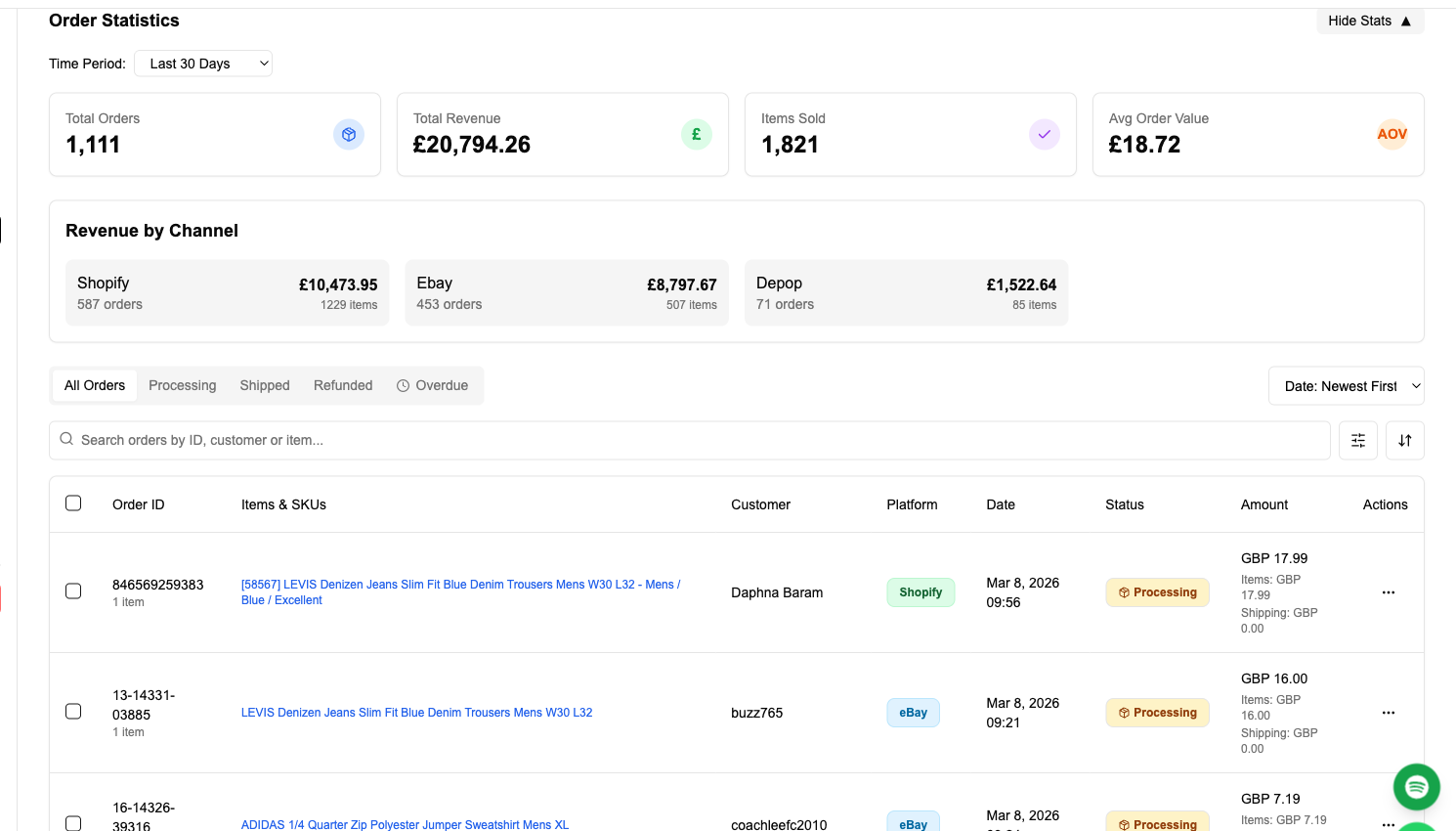
Cross-channel delisting. If you crosslist to other channels as well — eBay, Vinted, Vestiaire Collective, Depop — FLUF Connect removes the item from all of them the moment any one sells. You stop double-selling without having to think about it.
Crosslisting from Shopify to Leboncoin: Before and After FLUF Connect
| Task | Manual | With FLUF Connect |
|---|---|---|
| Posting one Shopify product to Leboncoin | ~8–12 minutes per item: open product, copy title, translate to French, rewrite description, look up category, convert EUR price, re-upload photos, fill location, choose shipping | ~10–25 seconds after the one-time setup; FLUF Connect handles translation, EUR conversion, category, photos and shipping band |
| Posting 100 products | ~14–20 hours of focused work | Bulk push: select 100, click Crosslist, walk away |
| Variant handling | Manual decision per product; usually one-per-size posted by hand | One channel-level rule applied to every product |
| French translation | DeepL / ChatGPT round-trip then paste | Inline — every title and description translated before push |
| Price conversion | Manual lookup of the day’s GBP/USD→EUR rate | Live FX with optional per-channel markup |
| Inventory drift | Always present; sellers usually delist Leboncoin manually after a Shopify sale (and forget) | Webhook-driven, near-real-time delist on either side |
| Order reconciliation | Leboncoin sales live in messenger; never appear in Shopify reports | Shopify order created automatically; flows through your existing fulfilment apps |
| Relisting stale ads | Delete + repost manually every 30 days to refresh Leboncoin ranking | Scheduled relist on the cadence you choose |
| Sending offers / following up | One thread at a time inside Leboncoin’s messenger | Bulk offer tools in FLUF Connect’s offers module |
Automation Features for Shopify and Leboncoin Sellers
Beyond the initial push, FLUF Connect runs an always-on layer on top of both channels. Every feature below is included on every paid plan.
Scheduled relisting
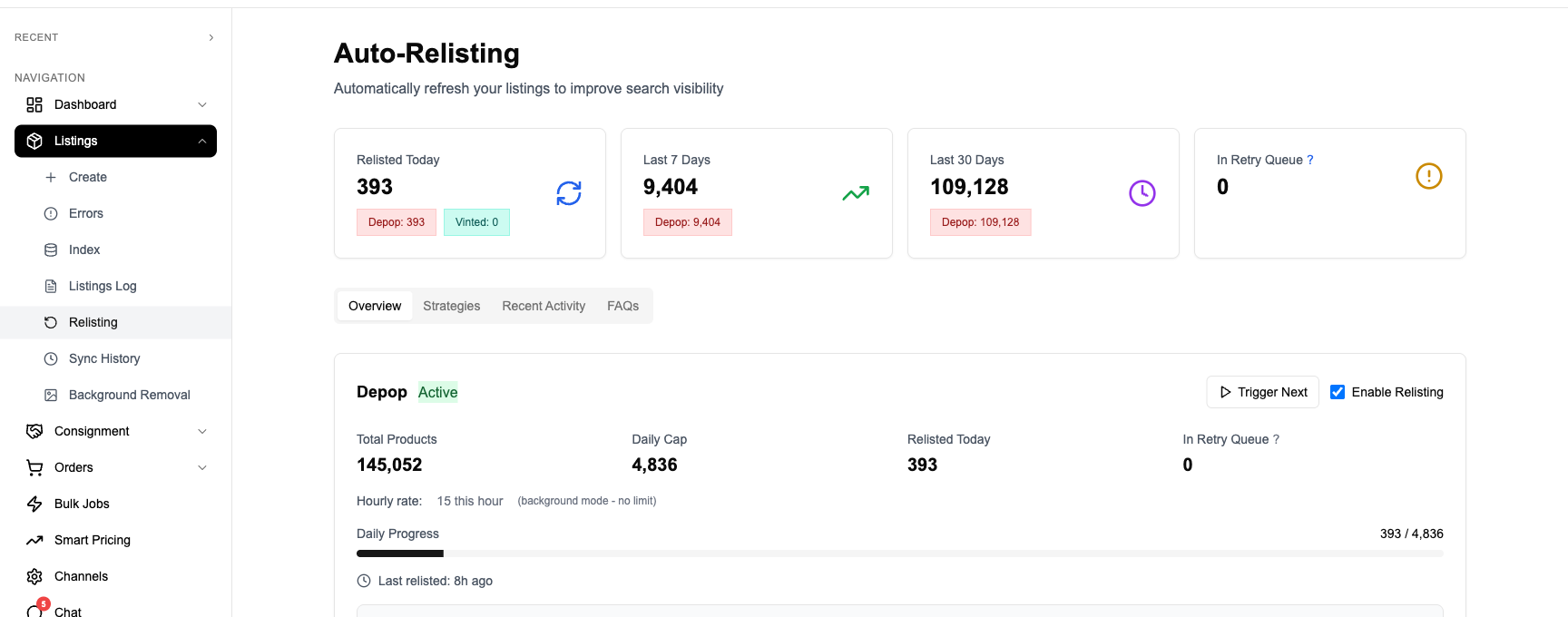
Leboncoin’s search ranking decays as ads age, and the platform expects sellers to refresh listings periodically. FLUF Connect keeps your listings fresh by refreshing them on a schedule you set, preserving the Leboncoin ID mapping so inventory sync keeps working.
Bulk offers and price drops
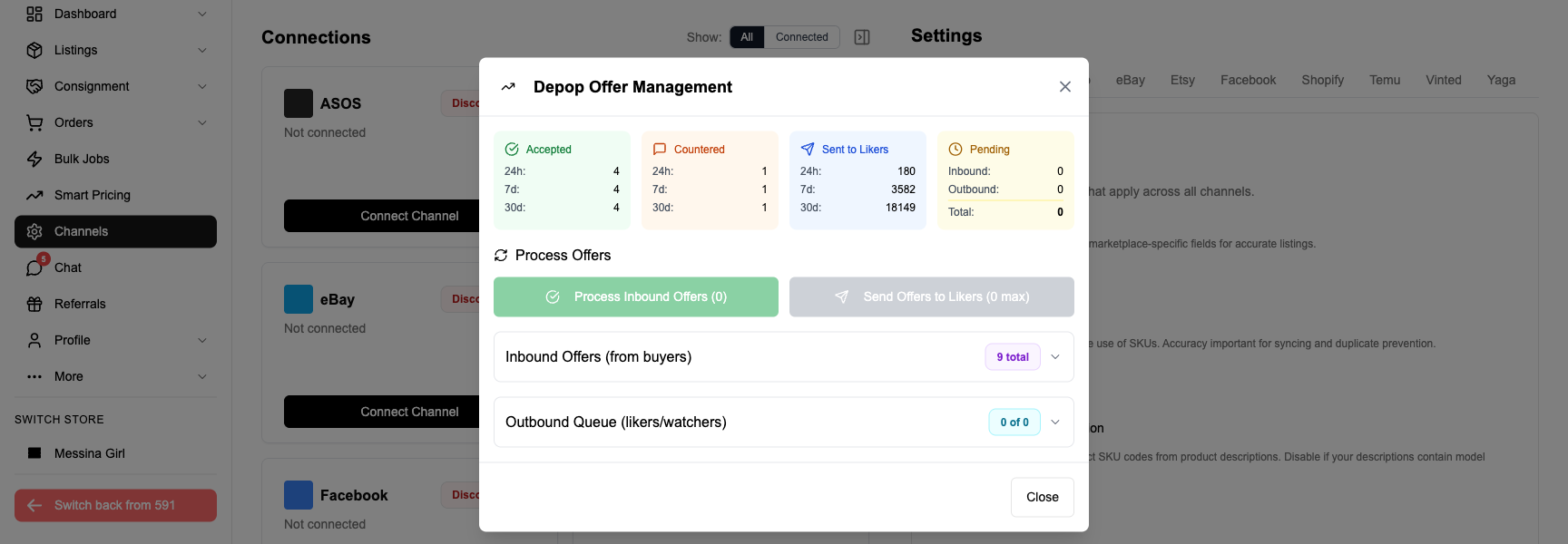
Leboncoin’s protected-transaction layer lets buyers make offers. FLUF Connect’s offers module lets you respond at the catalogue level — for example, accept any offer within 10% of the listed price, or send a 15% price drop to every Leboncoin ad older than 21 days to surface them back into the feed.
Inventory sync and oversell protection
Covered above in the Inventory Sync section — the headline is that you cannot oversell a Shopify SKU into Leboncoin once the channel is connected.
Order import
Every Leboncoin sale becomes a Shopify order. Your existing Shopify fulfilment app (ShipStation, Sendcloud, Sendle) picks it up unchanged.
Bulk delist by rule
Delist every ad in a Shopify collection from Leboncoin without touching Shopify itself — useful when you stop targeting a region or want to A/B a category’s performance on the storefront alone.
Channel-level pricing rules
Mark Leboncoin prices up or down by a percentage to absorb the Mondial Relay logistics cost, the 2% sale fee or to factor in the FX layer.
French translation cache
Repeated phrases (size charts, return policy, brand bios) are translated once and reused across listings, so a 1,000-item catalogue doesn’t run 1,000 translation calls.
Pricing
FLUF Connect has three plans. All of them include Shopify and Leboncoin as channels, all automation features, inventory sync, the Chrome extension and order import.
| Plan | Monthly | Crosslisted products |
|---|---|---|
| Starter | £9/month | Unlimited |
| Pro | £29/month | Unlimited |
| Priority | Custom pricing — tell us what you need | Unlimited |
There is no free plan or free tier. Every new account gets a 7-day trial for £1; choose a paid plan to continue afterwards.
Related Guides
- Sell on Shopify — overview and FLUF Connect integration notes
- Sell on Leboncoin — Pro packs, categories and shipping
- Crosslist from Leboncoin to Shopify — the reverse direction, for private sellers building a brand
- Crosslist from Shopify to eBay — variant parents, item specifics, GTIN handling
- Leboncoin vs Vinted — which French marketplace fits your Shopify catalogue
- Crosslist from Vinted to Shopify — for sellers consolidating the other direction
- Crosslist from Shopify to Vinted — Europe-wide fashion reach
- Crosslist from Shopify to Depop — Gen Z fashion buyers
Sources & Verification
- Leboncoin Pro pack structure (Référence, Smart, Impact +, Privilège) — Leboncoin Solutions Pro and OnParleBuziness 2026 guide.
- Leboncoin protected-transaction 2% fee, €0.50 minimum — Leboncoin assistance centre.
- Leboncoin audience ~29M monthly unique users — FEVAD France e-commerce ranking, cited by Shoppingfeed and Sellermania.
- Mondial Relay label-less drop-off via QR code — Usine Digitale and Ecommerce Nation 2026 coverage of the Leboncoin × Mondial Relay launch; Mondial Relay operates ~8,500 relay points in France.
- France micro-entrepreneur 2026 thresholds: €85,000 commercial sales, €203,100 buy-to-resell — Service Public Entreprendre, Connexion France reporting on the Senate rejection of the lower €25,000 threshold.
- Shopify Marketplace Connect channel list (Amazon, Etsy, Walmart, eBay, Target Plus — Leboncoin not natively supported) — Shopify Help Centre.
Related guides
Related guides
Frequently Asked Questions
Leboncoin has no variant concept — one ad equals one item. FLUF Connect lets you pick the behaviour per channel: either one Leboncoin ad per Shopify variant (with the variant name folded into the title, e.g. 'Robe Sandro Taille 38'), or a single ad per Shopify product with the available sizes and colours listed in the description. Most Shopify operators choose one-ad-per-variant because Leboncoin search relies on title keywords.
Yes. Every Shopify title and description is translated into idiomatic French before posting to Leboncoin, with repeated phrases (size charts, return policies, brand boilerplate) cached so a large catalogue doesn't run thousands of duplicate translation calls. You can review and edit the French copy in the dashboard before pushing.
FLUF Connect converts the Shopify price to EUR at the day's FX rate at push time. You can layer a per-channel markup or markdown on top — useful for absorbing the ~2% Leboncoin protected-transaction fee, Mondial Relay logistics, or to match local French price expectations. Shopify compare-at price is discarded because Leboncoin has no strikethrough field.
Not necessarily. Leboncoin allows private listings free up to volume thresholds and is fine for testing the channel. Once you cross those thresholds, or if you cross French micro-entrepreneur turnover caps (€85,000 for commercial sales, €203,100 for buy-to-resell in 2026), you'll need a Pro account on one of Leboncoin's Pro packs. FLUF Connect works with both account types — the extension session authenticates whichever Leboncoin account you log into.
If you're shipping into France from outside the EU, French VAT and customs apply at the standard rates and Leboncoin buyers expect the all-in price on the ad. The simplest setup for non-French Shopify operators is to fulfil from a French or EU warehouse and use Mondial Relay. French micro-entrepreneurs benefit from VAT exemption below the 2026 thresholds. FLUF Connect doesn't file VAT for you — that's your accountant or your Shopify tax engine — but it does let you set EUR prices that include VAT so the ad copy is accurate.
Yes. Leboncoin sales create a matching Shopify order and update Shopify stock. Your existing fulfilment apps can use that order.
No. Shopify Marketplace Connect supports Amazon, eBay, Etsy, Walmart and Target Plus, but Leboncoin is not a native Shopify channel. The only way to push a Shopify catalogue to Leboncoin is through a third-party tool — either a feed-aggregator (Shoppingfeed, Iziflux, Sellermania) targeting Pro accounts, or FLUF Connect for both private and Pro accounts via the browser extension.
FLUF Connect picks the correct Mondial Relay size band from your Shopify product weight and dimensions when it builds the Leboncoin ad. When a buyer pays, Leboncoin issues a QR code in your messaging inbox; you drop the parcel at any Mondial Relay relay point and the carrier prints the label on the spot. There are about 8,500 relay points across France.
FLUF Connect plans start at £9/month on Starter, with Pro at £29/month and custom Priority plans above that; every plan is unlimited on listings and marketplaces, and the tiers differ by which automations they include and how often we check your channels for sales. All plans include Shopify, Leboncoin and every other channel, plus inventory sync, scheduled relisting, bulk offers, order import and the browser extension. There is no free plan, but every new account gets a 7-day trial for £1.
Yes. The Leboncoin presence is controlled per product and per channel inside FLUF Connect. You can bulk-delist by Shopify collection, tag or vendor — for example, pull every product from a specific brand off Leboncoin while keeping it on your Shopify storefront and other channels. The Shopify SKU and inventory are untouched.
Sign up for free
Join the community
You're in.
Open your dashboard