
Kijiji Integration Available, Failed Listings Now Become Drafts, Generate Listings In Your Preferred Language
 2 min read
Hey everyone,
The latest from FLUF this week –
🍁📦 Kijiji Integration Available
Initially starting in 2005 as eBay’s answer to Craigslist in 8 countries, today Kijiji (meaning “village” in Swahili) is Canada’s leading classifieds site and is now available on FLUF Connect! Read more here.
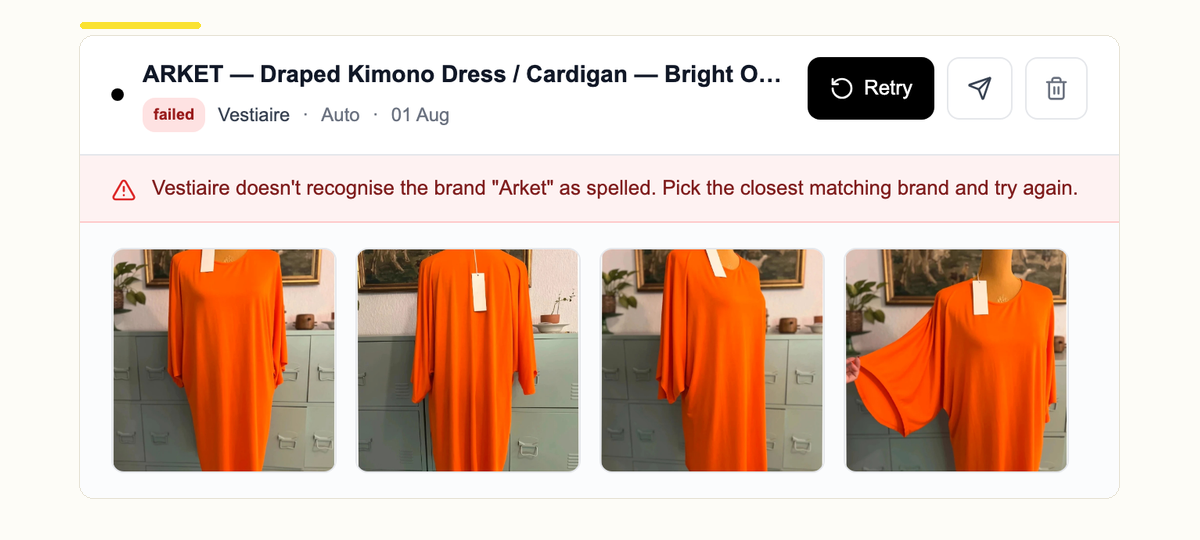
❌📝 Failed Listings Now Become Drafts
Up till now, when a crosslisting action failed, it was relatively cumbersome to update the affected value quickly and retry. Going forward – when a marketplace rejects a listing for something you can fix (e.g. unrecognised brand or category, a banned word, etc.) the listing now lands in your drafts with the reason shown. This will be accessible directly from the Crosslisting page for you to review, fix and retry without leaving the page.
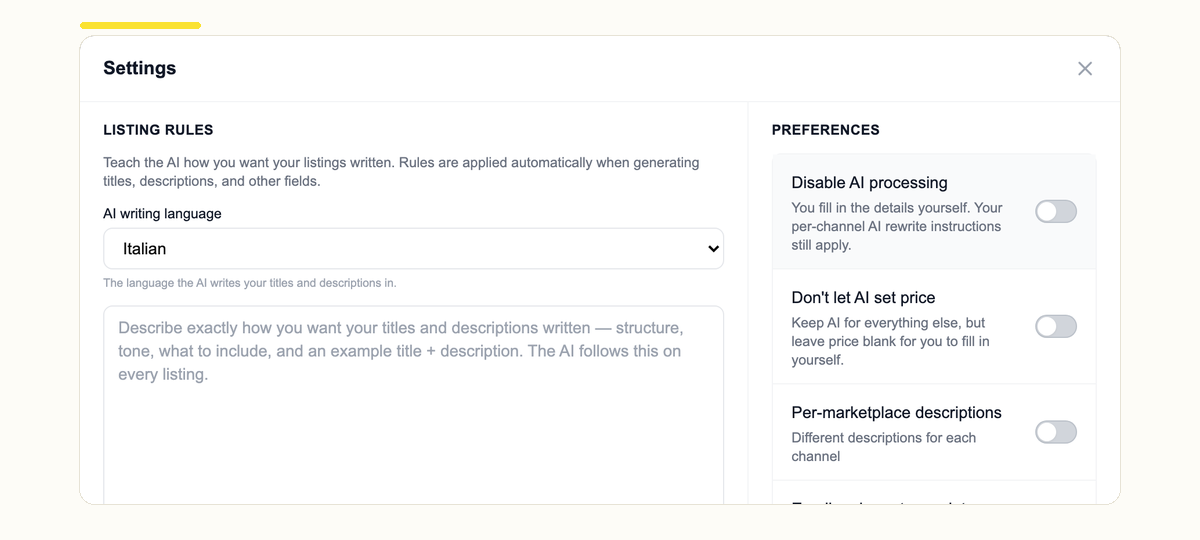
🌍✍️ Generate Listings In Your Preferred Language
You can now choose the language our AI drafts in. Configure it in your Settings on the Create page and every new listing comes out in that language, instead of English. Previously (and still), you can also accomplish this via your personal listing rules on the same page – e.g. “draft my listings in Mongolian – no mistakes”.
Looking to translate your listings that were not created with FLUF’s AI? Set your translation languages per channel and they’ll be translated on the fly when crosslisted.
🔧 Other Smaller Improvements
- Add extra credits: Carry on generating products, removing backgrounds and editing images with AI using additional credits.
- Video support: Support for listings with videos on eBay, Temu, Etsy, Shopify, Depop and TikTok Shop.
- Team permissions: Choose what each team member can see – hide Dashboard and Orders so sales figures stay private, or give someone access to Billing so they can manage the plan and card. Set it in Team settings.
🔗 Other Resources
=> [Changelog] Latest daily edits
=> Most interesting listings this week
=> Get free time on FLUF Connect
Best,
Gos
More Articles

Tradera Integration Available, Xero And QuickBooks Integrations, Filter Chat By Channel And Get Notified
Hi everyone The latest from FLUF this week! 🟡♻️ Tradera Integration Available Tradera is now…
- Tradera

StockX Supported On FLUF, Multi-Store Management Available for All Channels, Photo Editing In The App
Hey everyone, The latest from FLUF this week – 👟📦 StockX Supported On FLUF StockX…
- StockX

Referral Economics Revised: Earn 50% Indefinitely, Amazon Supported On FLUF, Revamped Image Editing: Generate Modelled Photos and More
Hey everyone, The latest from FLUF this week – 🤝💸 Referral Economics Revised: Earn 50%…
- Amazon

