
WooCommerce Crosslisting — List Your Products on Every Marketplace, Automatically
Connect your WooCommerce store once with the official FLUF Connect plugin and crosslist every product to Depop, eBay, Vinted, Etsy, Shopify, and more — with stock that syncs automatically.




What Is WooCommerce Crosslisting?
WooCommerce crosslisting is the practice of taking products you already manage in your WooCommerce store and listing them on external marketplaces — Depop, eBay, Vinted, Etsy, and more — at the same time, while keeping stock in sync. Your WooCommerce store stays the master catalogue. Every marketplace becomes an extra shopfront fed from it.
The hard part has never been the first listing. It’s everything after: when an item sells on eBay, you have to remember to pull it from Vinted and decrement your WooCommerce stock. When you change a price in WooCommerce, you have to repeat it everywhere. Add a new product and you’re re-typing the same title, description, and photos into five different forms. Across two channels this is tedious. Across ten it is a full-time job — and the moment you miss a step, you oversell and disappoint a buyer.
FLUF Connect automates the whole loop. You install one official WordPress plugin, connect your store once, and your WooCommerce catalogue becomes listable on every supported marketplace. Listings, stock, prices, and orders stay in parity automatically.
The Official FLUF Connect Plugin Is the Entry Point
FLUF now publishes an official plugin on the WordPress.org directory — FLUF Connect — and it is the canonical, supported way to crosslist WooCommerce products. You don’t need exports, CSV mapping, or a developer. You install it the same way you install any other plugin.
The plugin is deliberately a thin client. It doesn’t run any listing logic on your server, so it won’t slow your store down. Its only job is to link your WooCommerce store to your FLUF.io account securely, so the products you already manage in WordPress can be listed everywhere. All the heavy work — image processing, category mapping, condition mapping, and channel-specific formatting — happens on FLUF’s servers, not yours. You can verify the plugin and read its full description on the FLUF Connect listing at WordPress.org and on the FLUF Connect WordPress plugin page.
How to Set Up WooCommerce Crosslisting (Step by Step)
- Install the plugin. In your WordPress admin, go to Plugins → Add New and search for “FLUF Connect” — or download it directly from wordpress.org/plugins/fluf-connect/.
- Activate it. Click Activate, the same as any plugin.
- Open the settings. Go to WooCommerce → FLUF Connect in your admin menu.
- Click Connect. Authorise your FLUF.io account. You’re redirected back to your WordPress admin with confirmation that the connection is live.
- Pick your channels. Open the FLUF Connect dashboard and choose which marketplaces you want to list to. Your WooCommerce products are ready to crosslist.
Setup takes minutes. FLUF Connect requires WooCommerce 7.0 or later, WordPress 6.0 or later, and an HTTPS site. These requirements are listed on the official plugin page.
Ready to crosslist your WooCommerce store across every marketplace?
How FLUF Connect Crosslists WooCommerce Products
Once the plugin is connected, your WooCommerce store works as a hub and every marketplace is a spoke. Here is what happens, in plain terms.
1. Your WooCommerce Catalogue Is Imported
The products you already manage in WordPress — titles, descriptions, photos, prices, and variations — become available inside FLUF Connect. There’s no re-entry and no spreadsheet export. Variable products are handled properly: each variation, such as a size S/M/L of a T-shirt, is treated as its own listable item on destination channels that expect individual listings.
2. You Crosslist to Any Marketplace
Select products and crosslist them to Depop, eBay, Vinted, Etsy, Facebook Marketplace, and more. FLUF maps your photos, titles, descriptions, prices, and item specifics to each marketplace’s format automatically — including channel-specific category and condition mapping. Crosslist one product or thousands at once with bulk selection and filters.
3. Stock Stays in Parity — Automatically
This is the part that saves WooCommerce sellers from overselling. When a product sells on any connected channel, FLUF Connect automatically updates your WooCommerce stock and the listings on every other channel within minutes. A sale on Depop drops your WooCommerce stock; a sale in WooCommerce removes the item from eBay and Vinted. Price changes sync across channels too. No manual checking, no oversold items.
4. Orders Land in One Unified Feed
When an order arrives from any marketplace, it appears in your FLUF Connect dashboard alongside your WooCommerce orders — and alongside Shopify, eBay, Etsy, and Vinted orders if you sell there. You manage fulfilment from one place instead of logging into five seller apps.
5. Automation Keeps Working While You Sleep
- Auto-relisting: Fresh listings rank higher in marketplace search. FLUF rotates a portion of your inventory daily on Depop, eBay, and Vinted to keep it visible.
- Offer management: Set minimum prices and let FLUF auto-accept, counter, or decline buyer offers on Depop, eBay, and Vinted — 24/7.
- Auto-crosslisting rules: Set rules so new WooCommerce products appear on your chosen marketplaces automatically, based on brand, category, price, or tags.
Which Marketplaces Can WooCommerce Products Reach?
With FLUF Connect, a WooCommerce store can list to every major resale and consumer marketplace FLUF supports — including Depop, eBay, Etsy, Vinted, Shopify, Facebook Marketplace, Vestiaire Collective, Poshmark, Whatnot, Yaga, and Wallapop. The canonical, current list is maintained on the FLUF Connect integrations page. Below are the most-requested WooCommerce destinations, each with its own dedicated guide.
| WooCommerce crosslist to | Best for | Inventory sync |
|---|---|---|
| eBay | Reaching eBay’s huge, search-driven global buyer base | Yes |
| Depop | Gen Z and Millennial fashion buyers on mobile | Yes |
| Vinted | Europe’s largest second-hand fashion marketplace | Yes |
| Etsy | Handmade, vintage, and craft buyers | Yes |
| Shopify | Centralising orders and stock across channels | Yes |
| Facebook Marketplace | Local buyers and high-intent browsers | Yes |
| Poshmark | US social-resale fashion audience | Yes |
| Vestiaire Collective | Authenticated luxury and designer resale | Yes |
Browse the full set of channel guides on the FLUF Connect crosslisting hub, or read more about selling on WooCommerce with FLUF Connect.
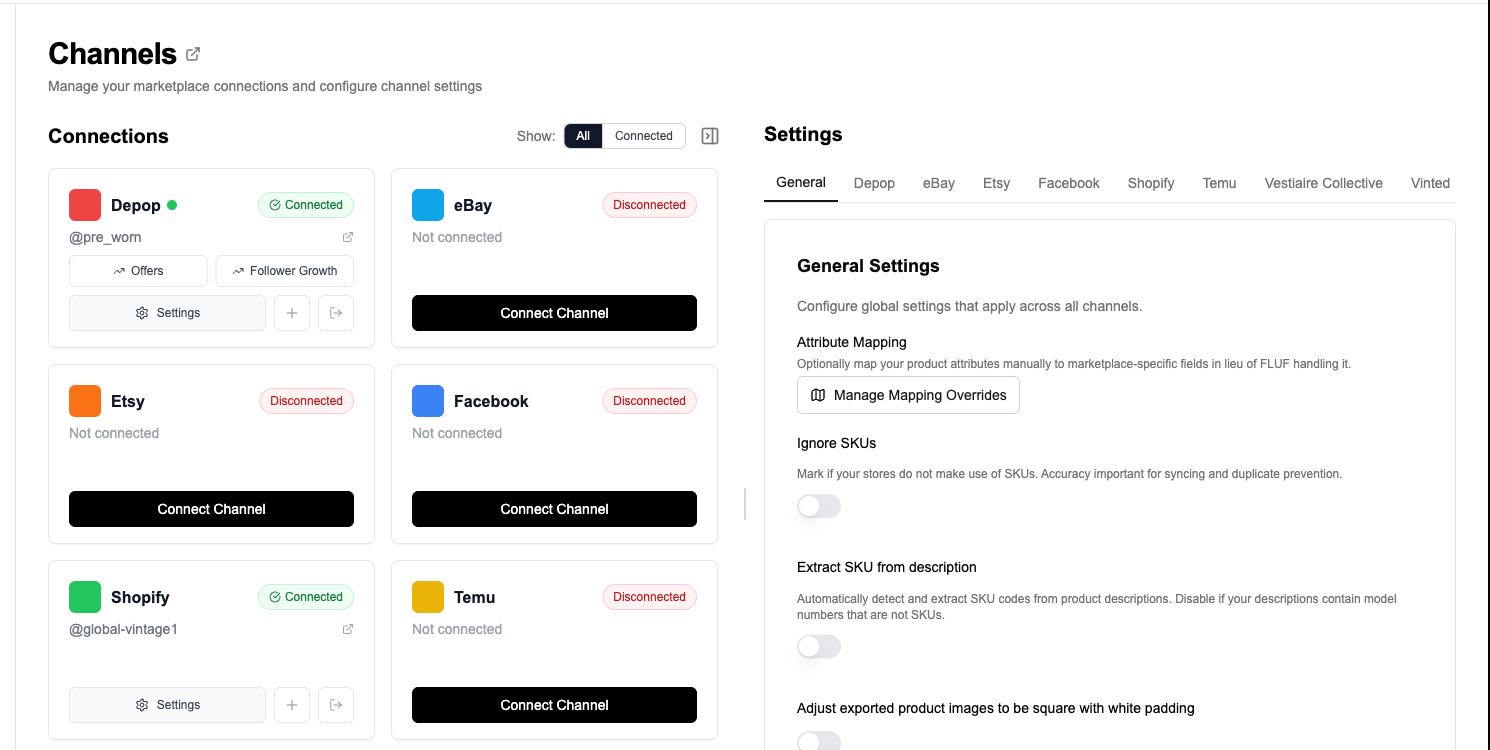
Turn your WooCommerce store into a multi-marketplace operation.
Why Crosslist Your WooCommerce Store at All?
A WooCommerce store is brilliant at one thing: being your store, on your domain, with no marketplace fees on your own traffic. But it can only sell to the buyers who find your site. Marketplaces bring you the buyers you’d never reach otherwise — and they bring search traffic of their own. eBay reports roughly 134 million active buyers worldwide, while Vinted serves over 100 million members across Europe. Crosslisting lets your existing WooCommerce catalogue appear in front of those audiences without rebuilding it by hand.
The risk every multi-channel seller knows is overselling: two buyers purchase the same one-of-a-kind item on two platforms, and someone gets a refund and a bad experience. Inventory sync solves it. Because FLUF Connect treats your WooCommerce store as the single source of truth and updates it the instant a sale happens anywhere, the same physical item can be listed in ten places and still only ever sell once.
What Makes FLUF Connect Different for WooCommerce Sellers?
An Official, Maintained WordPress Plugin
FLUF Connect is published on the WordPress.org plugin directory and built specifically for WooCommerce stores. You install and update it through the normal WordPress flow, and it cleans up after itself — clicking Disconnect or uninstalling removes the connection and revokes access automatically.
Automation Included, Not Upsold
Most crosslisting tools charge £30–50+ a month extra for relisting and offer management, if they offer them at all. FLUF Connect includes both in every plan, with no paid add-ons on top and no crippled tiers.
Vinted Support
FLUF Connect is one of very few crosslisting platforms with full Vinted support — crosslisting, inventory sync, relisting, and offer management. Competitors like List Perfectly and Vendoo don’t support Vinted at all. For WooCommerce sellers chasing the European market, that’s the difference between reaching Vinted’s 100M+ members and missing them entirely.
Works for Any Product Type
FLUF Connect isn’t limited to fashion. Electronics, books, homeware, collectibles, and vintage items all crosslist the same way. If you can sell it in WooCommerce, you can crosslist it.
| Approach | WooCommerce stock sync | Re-entry needed? | Relisting & offers | Setup |
|---|---|---|---|---|
| Manual listing | No — you track it yourself | Yes, every product, every channel | No | Hours per batch |
| CSV / spreadsheet export | Partial, and not real-time | Yes, plus mapping work | No | Ongoing maintenance |
| FLUF Connect plugin | Yes — automatic, within minutes | No — connect once | Included in every plan | Minutes |
See how FLUF compares to the dedicated tools on the FLUF Connect vs List Perfectly and FLUF Connect vs Vendoo pages.
WooCommerce Crosslisting Pricing
| Plan | Monthly | Crosslisted products |
|---|---|---|
| Starter | £9/month | Unlimited |
| Pro | £29/month | Unlimited |
| Priority | Custom pricing — tell us what you need | Unlimited |
No per-listing fees. No hidden charges. Auto-relisting and offer management are included from Seller upwards, not sold as add-ons. There is no free tier — the entry plan is Starter at £9/month. See the full breakdown on the FLUF Connect pricing page.
Install the plugin, connect once, and crosslist everywhere.
Who Uses FLUF Connect for WooCommerce?
Store owners expanding to marketplaces use FLUF Connect to get their WooCommerce catalogue onto Depop, eBay, and Vinted without managing each platform separately.
Scaling resellers with 500–5,000 items use the WooCommerce store as their master catalogue and let FLUF keep every channel in sync, so growth doesn’t mean more overselling.
Established businesses with large inventories use FLUF Connect as a central operations hub — one dashboard for every channel, with orders flowing back to one place for fulfilment.
Related Guides
- FLUF Connect crosslisting hub — every channel and channel-pair guide in one place
- Sell on WooCommerce with FLUF Connect — the channel overview for WooCommerce stores
- Crosslist WooCommerce to eBay — reach eBay’s search-driven global buyers
- Crosslist WooCommerce to Depop — push your catalogue to Depop’s Gen Z audience
- Crosslist WooCommerce to Vinted — reach Europe’s largest second-hand marketplace
- Crosslist WooCommerce to Etsy — for handmade and vintage products
- Sync WooCommerce to Shopify — centralise stock and orders
- Crosslist WooCommerce to Facebook Marketplace — reach local and high-intent buyers
- Crosslist WooCommerce to Poshmark — tap the US social-resale audience
- Crosslist WooCommerce to Vestiaire Collective — for authenticated luxury and designer items
- The official FLUF Connect WordPress plugin — what it does and how to install it
- Crosslist WooCommerce to Wallapop — reach Spain’s largest second-hand marketplace
- Crosslist WooCommerce to Whatnot — sell your catalogue through live-stream auctions
- Crosslist from WooCommerce to Marktplaats
Sources & Verification
Last verified: 2026-05-31. Please contact us if any figure is out of date.
- FLUF Connect on WordPress.org — official plugin, install steps, and requirements (WooCommerce 7.0+, WordPress 6.0+, HTTPS)
- FLUF Connect integrations page — supported marketplaces (canonical list)
- FLUF Connect pricing — current plans and product limits
- eBay — Who We Are — active buyer count
- Vinted newsroom — member count across Europe
More crosslisting guides
- Crosslist from eBay to WooCommerce
- Crosslist from Vinted to WooCommerce
- Crosslist from Discogs to WooCommerce — for vinyl and music stock
- Crosslist from Kijiji to WooCommerce — from expiring classified ads to a WordPress store you own
- PrestaShop vs WooCommerce — a standalone shop or a WordPress plugin
- WooCommerce to Kleinanzeigen
Frequently Asked Questions
WooCommerce crosslisting is the practice of taking products you already manage in your WooCommerce store and listing them on external marketplaces like Depop, eBay, Vinted, and Etsy at the same time. FLUF Connect automates this: you install the official FLUF Connect plugin, connect once, and your WooCommerce catalogue becomes listable across every supported channel. When a product sells anywhere, your WooCommerce stock and all other channels update automatically, so you never oversell.
In your WordPress admin, go to Plugins, then Add New, and search for "FLUF Connect" (or download it from wordpress.org/plugins/fluf-connect/). Activate the plugin, then open WooCommerce, then FLUF Connect, and click Connect. You authorise your FLUF.io account, get redirected back to your admin with a live connection, and then pick which marketplaces to list to. FLUF Connect requires WooCommerce 7.0 or later, WordPress 6.0 or later, and an HTTPS site.
When an item sells on any connected channel, FLUF Connect automatically updates your WooCommerce stock and removes or adjusts the listing on every other marketplace within minutes. The order appears in your unified FLUF Connect dashboard alongside your WooCommerce orders. This keeps inventory in parity across every channel and prevents overselling without any manual checking.
You can crosslist WooCommerce products to every major resale and consumer marketplace FLUF Connect supports, including Depop, eBay, Etsy, Vinted, Shopify, Facebook Marketplace, Vestiaire Collective, Poshmark, Whatnot, Yaga, and Wallapop. See the FLUF Connect integrations page for the current list. Each WooCommerce variation, such as a size S/M/L of a T-shirt, is treated as its own listable item on the destination channels.
Yes. FLUF Connect supports variable products and variants. Each variation, for example each size or colour of a product, is treated as its own listable item on the destination marketplaces, so your variants map cleanly to channels that expect individual listings. Channel-specific category and condition mapping is handled for you on FLUF's servers.
FLUF Connect plans start at £9/month on Starter, with Pro at £29/month and custom Priority plans above that; every plan is unlimited on listings and marketplaces, and the tiers differ by which automations they include and how often we check your channels for sales. Every plan includes crosslisting, automatic inventory sync, Pro and above add auto-relisting, and Pro and above add offer management. There is no free plan or trial.
No. The FLUF Connect plugin is a thin client that stays dormant unless you are actively using its settings page. All listing, image processing, category mapping, and channel-specific work runs on FLUF's servers, not your site. The only traffic on your store is occasional WooCommerce REST reads, the same kind of access your other plugins use.
Sign up for free
Join the community
You're in.
Open your dashboard