
Crosslist from Whatnot to WooCommerce (WordPress): Own Your Sales Channel
Turn fast-moving Whatnot inventory into a self-hosted WooCommerce store on WordPress — your domain, your brand, no marketplace commission.



- Whatnot is where fast-moving live-commerce inventory finds buyers — roughly US$8 billion in GMV in 2025 — but the marketplace owns the audience, the checkout and the commission. WooCommerce is the store you own.
- WooCommerce is the free e-commerce plugin for WordPress, the CMS behind 41.5% of all websites, and it runs an estimated 33% of tracked online stores — your own domain, your brand, your customer list, no marketplace cut.
- FLUF Connect copies one catalogue from Whatnot into a self-hosted WooCommerce store: title, description, images, price, quantity and SKU transfer, including per-variation SKU and stock on WooCommerce variable products.
- FLUF lists into Whatnot’s static Buy-It-Now marketplace listings — not live shows — so the same items sit in both places without you re-shooting anything.
- Honest sync: FLUF reads WooCommerce orders and stock and keeps quantities aligned; a Whatnot sale can propagate to reduce WooCommerce stock. Whatnot supports order-sync and mark-as-sold; WooCommerce does not offer marketplace-style mark-as-sold, so you close a WooCommerce sale in WP-Admin and FLUF reconciles the count.
- Plans start from £9/month (Starter). There is no free plan, but every new account gets a 7-day trial for £1. The WooCommerce plugin itself is free and open-source — you pay only for hosting.
Why sell on both Whatnot and WooCommerce
Whatnot and WooCommerce solve two different problems, and the smartest resellers stop treating them as a choice. Whatnot is momentum. It is a live-commerce and marketplace platform that reached roughly US$8 billion in GMV in 2025 — more than double the year before — added 20 million-plus new accounts, and now sees fashion buyers place 12 million-plus orders every month. Women’s fashion on the platform grew 223% year on year. That is the discovery engine: buyers arrive already scrolling, ready to buy, and the platform’s retention keeps them coming back. If you want eyeballs on a fast-moving inventory, Whatnot delivers them.
What Whatnot does not give you is ownership. The customer is Whatnot’s customer. The checkout is Whatnot’s checkout. The commission comes off every sale, and if the platform changes its rules, its fee structure, or its algorithm tomorrow, your business feels it immediately and you have no recourse. You are renting an audience, and the rent can go up.
WooCommerce is the opposite trade. It is the free, open-source e-commerce plugin for WordPress, the content-management system that powers 41.5% of every website on the internet and 59.2% of all sites running a known CMS. WooCommerce itself accounts for an estimated 33.4% of tracked e-commerce platforms — ahead of Shopify — across somewhere between 4.5 and 6 million active stores. A WooCommerce store runs on your own domain, under your own brand. There is no marketplace commission — you pay for hosting and any extensions you choose, and you keep the rest. Every buyer who checks out is your customer, added to your list, ready to be re-marketed to for the next drop.
Put those two together and the logic is obvious. Whatnot brings the traffic and the urgency; the WooCommerce store captures the value permanently. You use the marketplace to discover buyers and the store to keep them. A Whatnot listing might vanish into the feed after a day; the same item on your WooCommerce store is indexed, searchable and yours for as long as you want it live. The only thing standing between you and running both is the tedium of double data entry — and that is precisely what FLUF Connect removes.
For a resale seller the contrast is even sharper. On Whatnot you are one of thousands competing for the same scrolling attention, and the platform decides who gets seen. Your WooCommerce store has one seller: you. There is no feed to fight, no algorithm to appease, and no risk that a policy change wipes out a sales channel you spent months building. Owning the storefront is how a Whatnot side-hustle becomes a durable brand.
There is also a compounding effect that a marketplace never gives you. Every WooCommerce sale attaches an email address and an order history to your database, running on your WordPress install. Over a year that becomes a mailing list you can announce drops to, a returning-customer base you can offer loyalty perks to, and a body of on-site content and product pages that Google indexes under your own domain. None of that equity exists on Whatnot, where the buyer relationship, the reviews and the traffic all accrue to the platform. The Whatnot sale pays you today; the WooCommerce sale pays you today and builds an asset you keep. That is why treating the two as complementary — discovery plus ownership — beats treating them as rivals.
How to crosslist from Whatnot to WooCommerce
FLUF Connect is delivered to WooCommerce sellers as a WordPress plugin, so the setup lives entirely inside the admin you already know. Here is the path, step by step.
1. Install the FLUF Connect plugin from your WordPress admin. From your WordPress dashboard, add the FLUF Connect plugin for WooCommerce, activate it, and it registers itself under your WooCommerce menu. Because it installs like any other WordPress plugin, there is no separate hosting to provision and nothing to run on a server you don’t control.
2. Connect WooCommerce. Follow the plugin’s setup prompts, then review your existing catalogue and stock in FLUF. You can also publish listings back to WooCommerce.
3. Connect Whatnot. Link your Whatnot seller account to FLUF Connect. This is the account whose static marketplace listings FLUF will read from and, when you list outward, write to. Remember that FLUF works with Whatnot’s standard Buy-It-Now marketplace listings, not live shows — so your existing marketplace inventory is what maps across, and you run your live streams exactly as you do now.
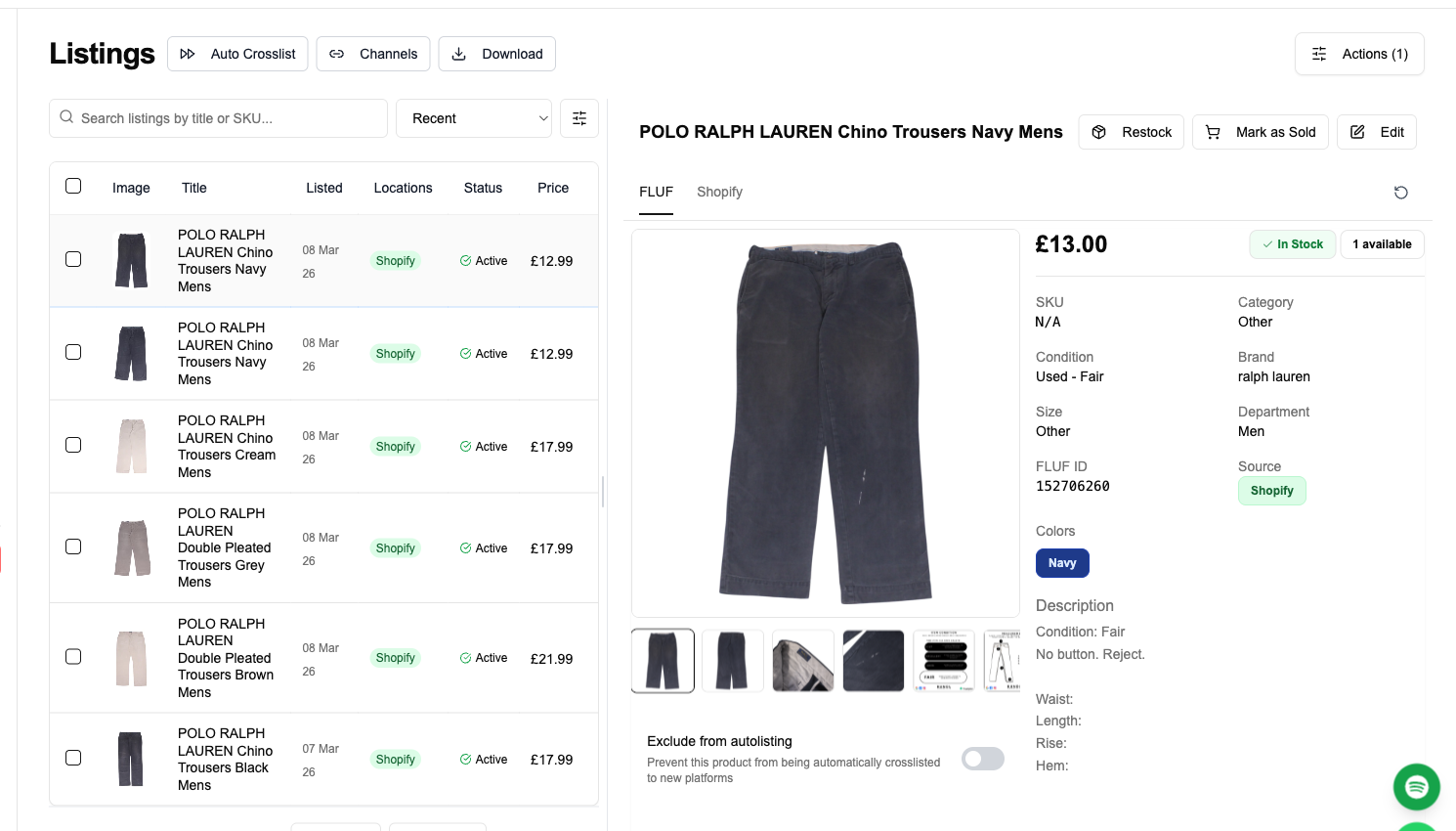
4. Choose channels and map your catalogue. With both sides connected, pick Whatnot as a source and your WooCommerce store as a destination (or the reverse). FLUF pulls the Whatnot item — its title, description, photos, price, quantity and SKU — and builds the matching WooCommerce product. You review the mapping once, confirm category and any variation structure, and push. From then on the two listings are linked in FLUF’s index.
5. Crosslist and repeat in bulk. Once the first item proves the mapping, you select the rest of your Whatnot inventory and crosslist in bulk rather than one product at a time. New Whatnot items you add later can be crosslisted the same way, so your WooCommerce store stays a complete mirror of what you sell.
The whole loop lives in two places you already have open: your WordPress admin for the store side, and the FLUF dashboard for the crosslisting controls. There is no spreadsheet export, no CSV re-import, and no re-photographing. The item you already listed on Whatnot becomes a real WooCommerce product with a handful of clicks.
What transfers — fields & categories
When FLUF Connect copies a Whatnot listing into WooCommerce, it maps the core commerce fields directly. The table below shows what moves and where it lands in WooCommerce.
| Field on Whatnot | Where it lands in WooCommerce | Notes |
|---|---|---|
| Title | Product name | Copied verbatim; editable in WP-Admin afterwards. |
| Description | Product description | Full text transfers; formatting preserved where WooCommerce supports it. |
| Images | Product gallery | All photos import into the WooCommerce media gallery for that product. |
| Price | Regular price | Carried across in your store currency; set a different price per channel if you prefer. |
| Quantity | Stock quantity | Feeds WooCommerce inventory so stock stays consistent across channels. |
| SKU | Product SKU | The shared key FLUF uses to link the two listings and reconcile stock. |
| Variations (size / colour) | Variable product + per-variation SKU, price & stock | WooCommerce variable products hold a distinct SKU, price and stock level for each variation. |
The variation handling is worth dwelling on, because it is where WooCommerce is genuinely powerful and where a lot of crosslisting tools fall down. A WooCommerce variable product lets one listing carry many variations — a shirt in three sizes and two colours — with each variation holding its own SKU, price and stock count. FLUF respects that structure so a multi-size item does not collapse into a single line with one shared stock number. When a specific variation sells, the count that decrements is the right one.
Alongside the fields in the table, FLUF also carries brand, size, category and condition into the destination wherever that destination supports those attributes. WooCommerce is flexible about attributes and categories — you define your own taxonomy — so FLUF maps into the structure you have set up rather than forcing a fixed marketplace category tree. You confirm the mapping the first time and it becomes the default for similar items.
What syncs and what doesn’t
This is the section to read carefully, because honest expectations here save you from overselling. The two channels have different sync capabilities, and FLUF works within them rather than pretending otherwise.
Whatnot supports both order-sync and mark-as-sold. FLUF can read orders placed on your Whatnot marketplace listings, and when an item sells elsewhere FLUF can mark the matching Whatnot listing as sold and remove it so you do not double-sell.
WooCommerce supports order sync but does not offer marketplace-style mark-as-sold. Record and manage WooCommerce sales in WordPress admin; FLUF keeps quantities aligned with your store.
Put the two together and here is what actually happens:
- An item sells on Whatnot. FLUF sees the Whatnot order, reduces the quantity, and can propagate that so the matching WooCommerce product’s stock drops. If it was your last unit, the WooCommerce product goes out of stock automatically through the stock reconciliation — you do not have to touch it.
- An item sells on WooCommerce. The order lands in your WordPress admin, WooCommerce handles fulfilment and reduces its own stock, and FLUF reads that change. Because Whatnot supports mark-as-sold, FLUF can remove or mark the Whatnot listing so you don’t sell a unit you no longer have.
- Stock stays aligned. The SKU is the shared key. FLUF uses it to keep quantities consistent between the Whatnot listing and the WooCommerce product, in both directions, within the limits above.
Manage WooCommerce orders and stock in WordPress admin. FLUF syncs quantities; it does not provide a marketplace-style mark-as-sold action for WooCommerce.
Before & after: the seller’s day
Before FLUF Connect. You list an item on Whatnot’s marketplace — photos, title, price, description. Then, if you want it on your own store too, you open WordPress, create a new WooCommerce product, re-upload the same photos, retype the same description, set the price and stock, sort out variations, and save. For a variable item that is several minutes of duplicated work per listing. Multiply by a fast-moving resale inventory and you either burn hours or, more likely, you simply never build the store — which means every sale stays a Whatnot sale, with Whatnot’s commission and Whatnot’s customer.
After FLUF Connect. You list on Whatnot as usual. FLUF reads that listing and builds the WooCommerce product for you — same photos, same copy, same price, same SKU, variations intact. You review once and push. When something sells on either side, stock reconciles around the SKU. Your WooCommerce store fills up as a genuine mirror of your Whatnot inventory with almost none of the manual entry, and every buyer who finds you through the store is a customer you own outright.
The strategic shift is the real payoff. Whatnot’s job becomes what it is best at — putting your items in front of ready-to-buy scrollers and driving discovery. The WooCommerce store’s job is permanence: an SEO-indexed, brandable, commission-free destination where repeat buyers come directly, where you collect the customer relationship, and where no marketplace policy change can switch you off. You are no longer choosing between reach and ownership. You have both, and one catalogue feeds them.
Automation & bulk tools
Crosslisting one item by hand is fine as a test. Running a real inventory needs automation, and it is included in every FLUF plan, not sold as a paid add-on.
Bulk crosslisting lets you select many Whatnot items at once and push them to your WooCommerce store together, so populating the store is a single operation rather than a week of copy-paste. Inventory sync and order sync run continuously in the background so the stock counts you saw in the “what syncs” section stay accurate without you watching them. Bulk editing tools let you adjust price, title or description across many listings at once and have the changes flow to the linked products.
Install the FLUF plugin alongside your existing WooCommerce products, WordPress theme and plugins to add crosslisting.
The bulk workflow also protects you from the most common crosslisting mistake: letting the two catalogues drift apart. When a price change, a description tweak or a restock only happens on one side, buyers get confused and you risk selling at the wrong price. Because FLUF links each Whatnot listing to its WooCommerce product through the SKU and pushes edits across, an update you make once lands everywhere it should. The store stays a faithful mirror rather than a stale snapshot of what your Whatnot inventory looked like weeks ago.
Beyond the Whatnot-to-WooCommerce pair, the same dashboard crosslists your one catalogue to eBay, Depop, Vinted, Etsy, Shopify, Vestiaire Collective, Facebook Marketplace and more — so the store you build here can feed every other channel you decide to add later, all from the same source of truth. A WooCommerce store sitting at the centre of that setup is a natural hub: it is the channel you own, so it makes sense as the master catalogue that every marketplace listing derives from.
Pricing
FLUF Connect plans start from £9/month (Starter). There is no free plan, but every new account gets a 7-day trial for £1. Every plan includes inventory sync, order sync and the bulk crosslisting and editing tools described above — automation is part of the product, not a paid extra.
Worth separating clearly: the WooCommerce plugin itself is free and open-source. That is a true fact about WooCommerce, not a FLUF plan — running a WooCommerce store costs you hosting and any premium extensions you choose, but WooCommerce charges no marketplace commission on your sales. So the economics of moving toward your own store are compelling: you pay a flat FLUF subscription to crosslist, you pay your host, and you keep the margin that a marketplace commission would otherwise take. The more of your sales that shift from a commissioned marketplace to your own WooCommerce checkout, the better that trade looks.
For a Whatnot seller specifically, the calculation is straightforward. Whatnot’s discovery is worth paying commission for — that is what buys you the traffic. But every returning customer you can redirect to your own WooCommerce store is a sale with no marketplace cut, and FLUF at £9/month is what makes running that store realistic instead of a second full-time job.
Sources & verification
Every non-trivial figure above is drawn from a primary or reputable source. Verify them here:
- Whatnot GMV (~US$8bn, 2025), 20M+ new accounts, retention — sacra.com/c/whatnot
- Whatnot women’s fashion +223%, 12M+ fashion orders/month — blog.teamwhatnot.com 2026 trends
- WordPress powers 41.5% of all websites / 59.2% of CMS sites — w3techs.com
- WooCommerce ~33.4% e-commerce share, 4.5–6M active stores — wpfactory.com WooCommerce statistics 2025
- WooCommerce free/open-source, no marketplace commission — redstagfulfillment.com
- WooCommerce variable products (per-variation SKU/price/stock) — woocommerce.com variable product docs
Frequently Asked Questions
Yes. When a Whatnot item has variations like size or colour, FLUF maps it to a WooCommerce variable product, where each variation keeps its own SKU, price and stock level. A multi-size item does not collapse into a single line with one shared stock number, so when a specific variation sells the correct count decrements.
The plugin adds crosslisting alongside your existing WordPress theme, plugins and products. Manage listings and stock in FLUF Connect after setup.
Add the FLUF Connect plugin for WooCommerce from your WordPress admin, activate it, then connect your WooCommerce store and your Whatnot account. Once both are linked you choose Whatnot as a source and your WooCommerce store as a destination and push your catalogue across.
Yes. FLUF reads Whatnot orders and reduces the quantity, and that reconciles against the linked WooCommerce product via the shared SKU. If it was your last unit, the WooCommerce product goes out of stock automatically without you touching it.
No. WooCommerce does not offer marketplace-style mark-as-sold. Manage its sales in WordPress admin and FLUF keeps quantities aligned. Whatnot does support marking items sold, so FLUF can remove the matching Whatnot listing.
No. FLUF works with Whatnot's static Buy-It-Now marketplace listings, not live streams. You run your live shows exactly as you do now, and your standard marketplace inventory is what maps across to WooCommerce.
Title, description, images, price, quantity and SKU transfer directly, plus per-variation SKU, price and stock on WooCommerce variable products. Brand, size, category and condition carry across wherever the destination supports those attributes.
The WooCommerce plugin is free and open-source with no marketplace commission — you pay only for hosting and any extensions you choose. FLUF Connect plans start from £9/month (Starter). There is no free plan, but every new account gets a 7-day trial for £1; inventory sync, order sync and bulk tools are included in every plan.
Sign up for free
Join the community
You're in.
Open your dashboard