 FLUF Connect
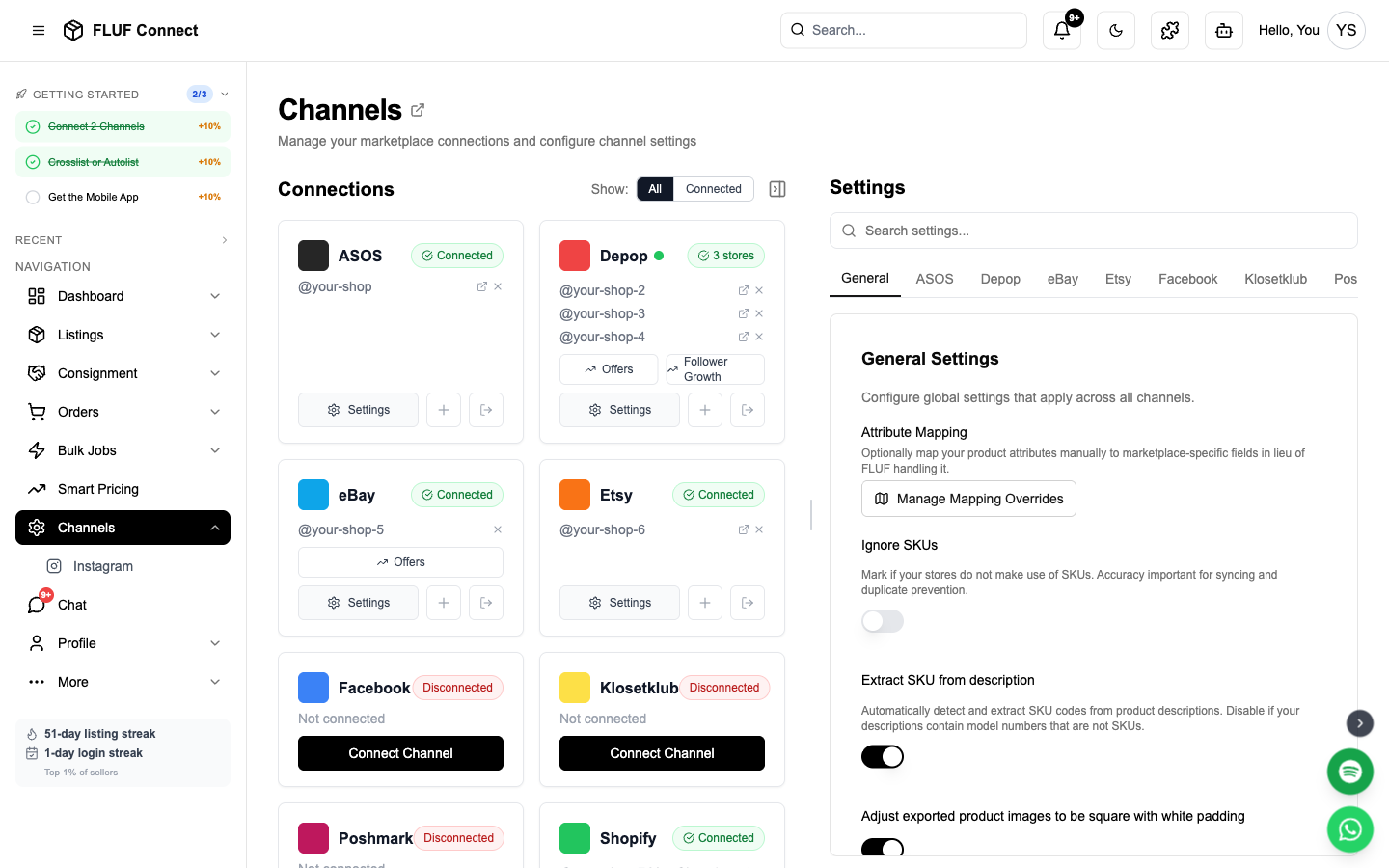
Connecting Depop to FLUF Connect
Depop is one of the most popular platforms for vintage and fashion resale. FLUF offers two connection methods to suit your workflow.
Prerequisiti
- Active Depop account with verified email
- At least one listing on Depop (recommended)
- For Method 1: Google Chrome browser + FLUF Utility Chrome Extension
- For Method 2: 2FA must be disabled on Depop mobile app
Method 1: Chrome Extension (Recommended)
This is the fastest and most reliable way to connect Depop.
Step 1: Install FLUF Utility Chrome Extension
- Visita il Google Chrome Web Store
- Search for "FLUF Utility" or use the install link provided in the connection modal
- Clicca su Aggiungi a Chrome
- The extension icon will appear in your Chrome toolbar
Step 2: Log Into Depop
- Open a new Chrome tab
- Vai a depop.com
- Log in to your Depop account
- Keep this tab open in the background
Step 3: Connect in FLUF
- Naviga a Connetti → Canali
- Clicca su Aggiungi Canale e seleziona Depop
- Seleziona Chrome Extension Method
- Clicca su Connetti con l'Estensione Chrome
- FLUF will automatically detect your Depop session
- Connection completes in seconds!
Security: Your Depop password is never stored in FLUF. The Chrome Extension securely handles authentication.
Method 2: Magic Link (Alternative)
If you can't use Chrome Extension, use Depop's Magic Link authentication. This method also works on the nell'app FLUF per dispositivi mobili — watch the mobile how-to video.
Passaggio 1: Richiedi il Link Magico
- Naviga a Connetti → Canali
- Clicca su Aggiungi Canale e seleziona Depop
- Seleziona Magic Link Method
- Enter your Depop email address
- Clicca su Send Magic Link
Step 2: Get Magic Link from Email
- Check your email for "Log In To Depop" from Depop
- NON Clicken al link — this will log you into Depop's website instead
- Right-click il pulsante "Accedi a Depop" nell'email
- Seleziona Copy Link Address (Chrome) or Copy Link (Firefox/Safari)
- The link will be a long URL — copy the entire thing
Step 3: Paste Magic Link in FLUF
- Return to the FLUF Connect window
- Paste the URL completo del Link Magico into the input field
- Clicca su Connetti
- FLUF will authenticate using the magic link
Critical: L'autenticazione a due fattori deve essere disabilitata nella tua account Depop per far funzionare il collegamento magico. Con l'2FA attivato, il collegamento magico non arriverà e la schermata di connessione rimarrà bloccata su "Caricamento Depop…".
What Happens After Connecting
- ✅ FLUF verifies your Depop authentication
- ✅ Your existing Depop listings are imported (may take 2-5 minutes)
- ✅ You can now crosslist new items to Depop
- ✅ Sales on Depop trigger automatic inventory sync across all channels
- ✅ Lo stato della connessione con Depop appare nella pagina Canali
Sync Behavior
- What syncs: New listings, sold items, price changes, inventory updates
- Sync speed: Updates are synced periodically throughout the day
Riconnetti
Depop sessions can expire. You'll need to reconnect if:
- You change your Depop password
- Your session token expires (typically 30-60 days)
- You log out of Depop manually
How to reconnect:
- Vai a Canali
- Clicca il Reconnect button on your Depop card
- Follow the same connection method you used initially
Running two Depop stores? Each store shows its own status dot on the Channels page, so you can see exactly which one needs reconnecting. Reconnect refreshes whichever store you're currently logged into on Depop — so to fix a specific store, log into that Depop account in your browser first, then click Reconnect.
Dopo la connessione
Next steps to get selling:
- Create your first listing — Crosslist to Depop instantly
- View your listings — Visualizza tutti gli articoli Depop accanto ai canali di vendita
- Manage orders — Track Depop sales with centralized fulfillment
- View analytics — Monitor Depop performance
Impostazioni del Canale
Once connected, you can configure Depop-specific settings in Canali → Depop → Settings.
Rilistaggio e Visibilità
| Setting | Descrizione |
|---|---|
| Activate relisting | Delete and relist products by age. Max 1/30th of total stock is relisted per day. Boosts visibility by refreshing listings. |
| Boost all products | Automatically boost all products when listed on Depop. Increases visibility but costs Depop credits. |
Shipping
| Setting | Descrizione |
|---|---|
| Domestic shipping price | Default domestic shipping cost for new listings |
| International shipping price | Default international shipping cost |
| Shipping method | Choose between Depop Shipping (via Evri) or Other. US sellers see size-based options. |
| Parcel size | When using Depop Shipping (Evri): Small (under 1kg), Medium (under 2kg), or Large (under 5kg). Defaults to Small. |
Gestione delle offerte
| Setting | Descrizione |
|---|---|
| Automatic offer management % | Set to 100% to disable. Otherwise, offers at or above this % are auto-accepted, counter offers sent below, and offers sent to likers. Example: 80% = accept £8+ on a £10 item. |
| Ritardo nelle offerte agli ammiratori | How many hours to wait before sending offers to likers |
Messaging
| Setting | Descrizione |
|---|---|
| Post-purchase message | Message sent to buyers automatically after an order is detected. Leave blank to disable. |
| Refund message | Message sent when processing refunds through Shopify order management |
Order Alerts
| Setting | Descrizione |
|---|---|
| Overdue dispatch threshold | Get alerts when Depop orders are unshipped after X days. Set to 0 to disable. |
Risolvere i Problemi
Chrome Extension not detecting Depop session?
- Make sure you're logged into depop.com in Chrome
- Refresh the Depop tab and try again
- Check that the FLUF Utility extension is enabled
- Try logging out of Depop and back in
Magic Link not working?
- Verify you copied the intero leggi il URL dall'email
- Assicurati che l'2FA sia disabilitato nell'app mobile Depop
- Richiedi un nuovo link magico se sono trascorsi più di 15 minuti
- Controlla la cartella spam per l'email Depop
La connessione scade continuamente?
- Le sessioni Depop hanno una durata limitata
- Utilizza il metodo estensione Chrome per un'opportunità di sessione più lunga
- Riconvalidati quando richiesto
Non vedi tutti i prodotti Depop?
- L'importazione può richiedere 2-5 minuti per grandi inventari
- Controlla Canali la pagina di avanzamento dell'importazione
- Sono importati solo i prodotti attivi Depop (gli articoli venduti vengono esclusi)
Connetti altri canali
Massimizza la tua portata connettendo altre piattaforme di mercato
- Connetti eBay — Autenticazione OAuth, sincronizzazione immediata, 180 milioni di acquirenti
- Connetti Shopify — Token app personalizzato, il tuo negozio online
- Connetti Vinted — Estensione Chrome, leader europeo della ricompra
- Connetti Facebook Marketplace — Estensione Chrome, miliardi di acquirenti
- Connetti Etsy — Autenticazione OAuth, artigianato e vintage
Vedi anche: Come funziona il sincronismo degli inventari · Problemi comuni · Connetti più conti Depop